Built by sleepy capybaras at Traceway
Serious about data.
A little soft around the edges.
Meet QueryBench, your native database workspace. Browse tables, write queries, and undo the changes you wish you hadn’t made. A calmer place for you and your rows.

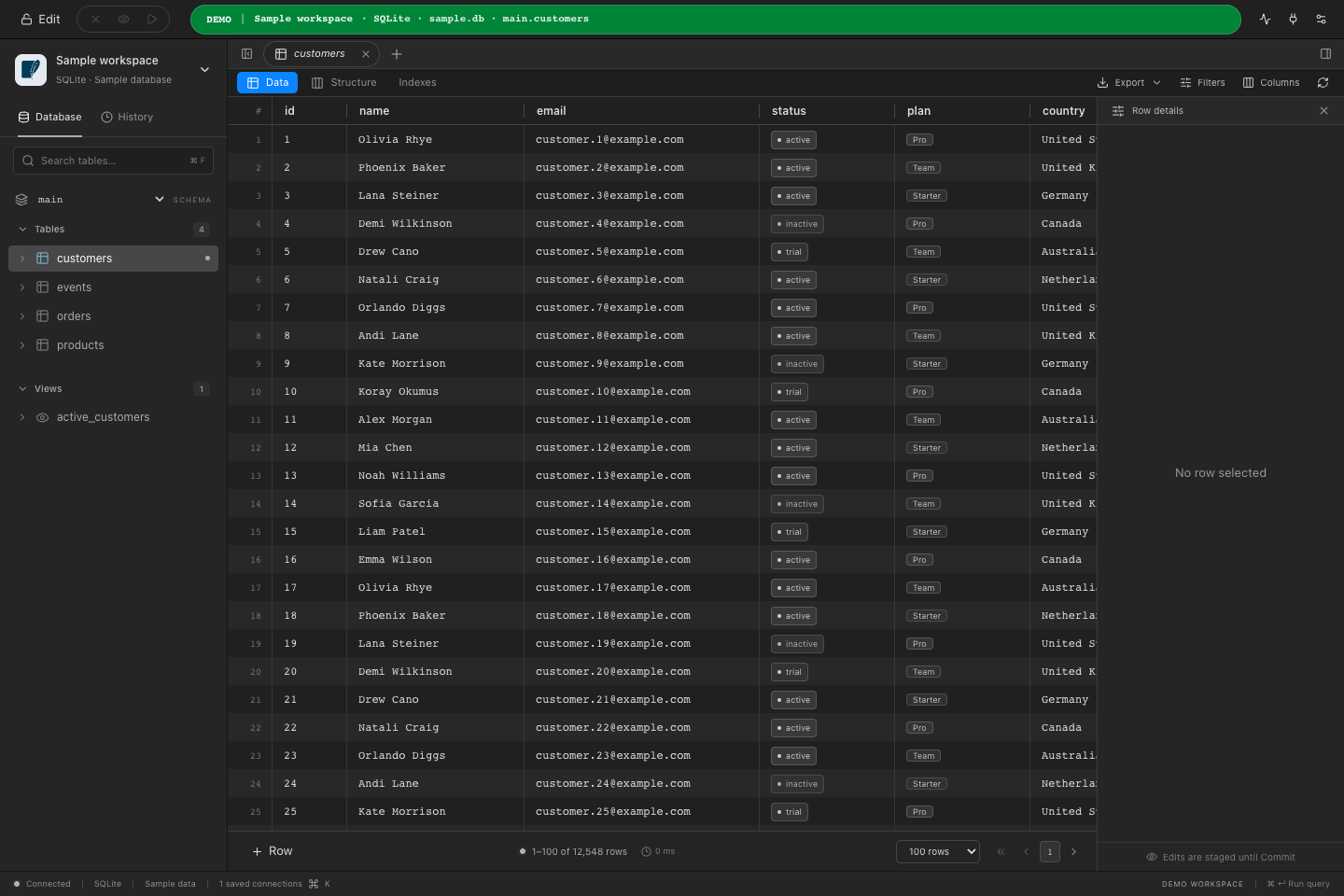
Three things you will not find in most clients
Roll back after you commit
Stash keeps the real rows before every update or delete and writes the SQL that puts them back. Review it, run it, done.
How it works02Complete backups, straight to S3
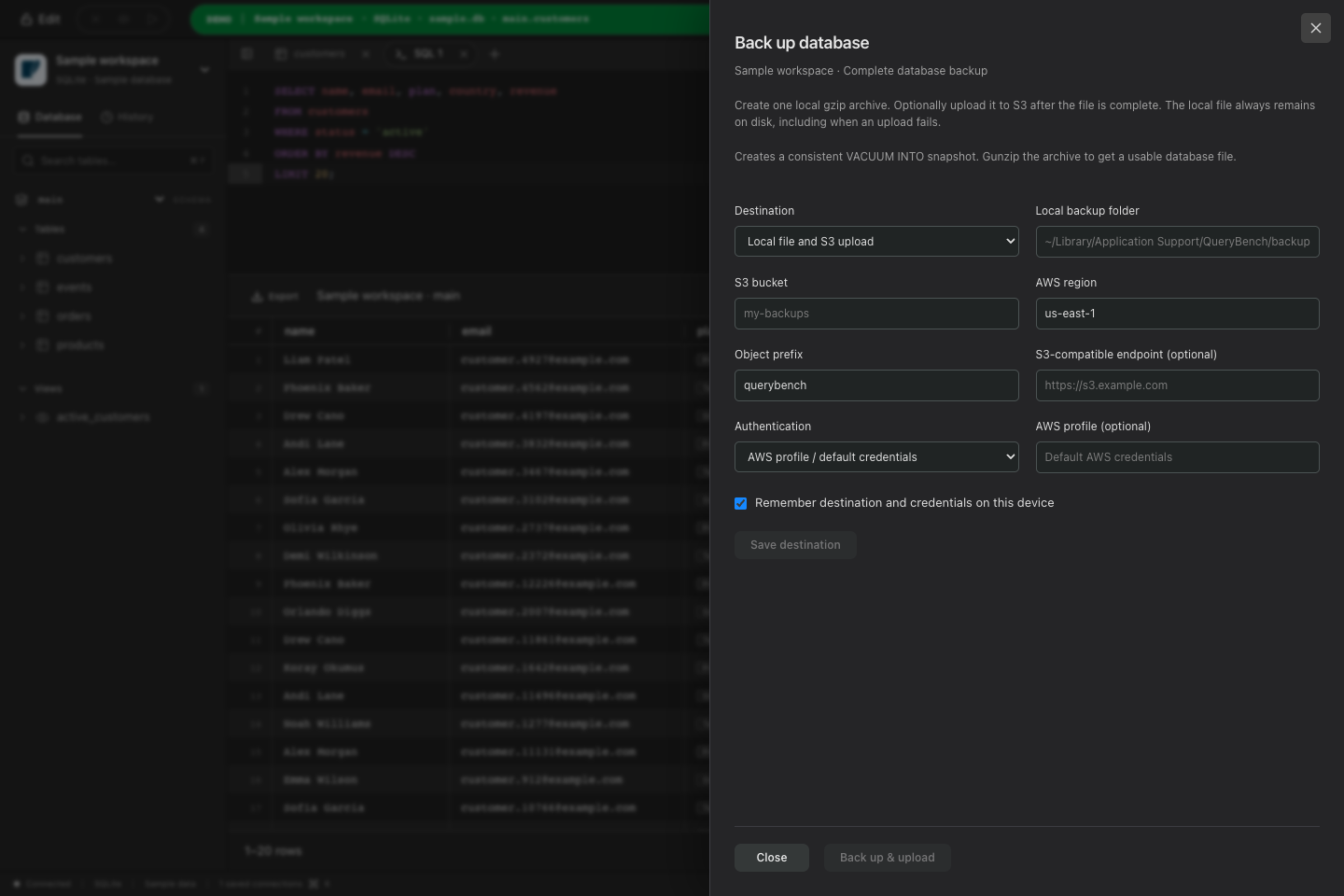
pg_dump, mysqldump, VACUUM INTO or EXPORT DATABASE into a local gzip archive, with optional upload to S3 or any compatible endpoint.
How it works03AI agents, on a leash
A built-in MCP server lets an agent list databases, describe tables and run paginated queries. Loopback only, token protected, locked by No-Edit.
How it works01 · Stash
Every client asks “are you sure?” Stash is for the moment after you said yes.
Turn it on, and QueryBench keeps the original rows before every update or delete, then writes the SQL that puts them back. Here is exactly what happens.
A way back, in two steps
Originals stay in memory for 15 minutes by default. Adjust retention in Settings. Recovery always needs your review.
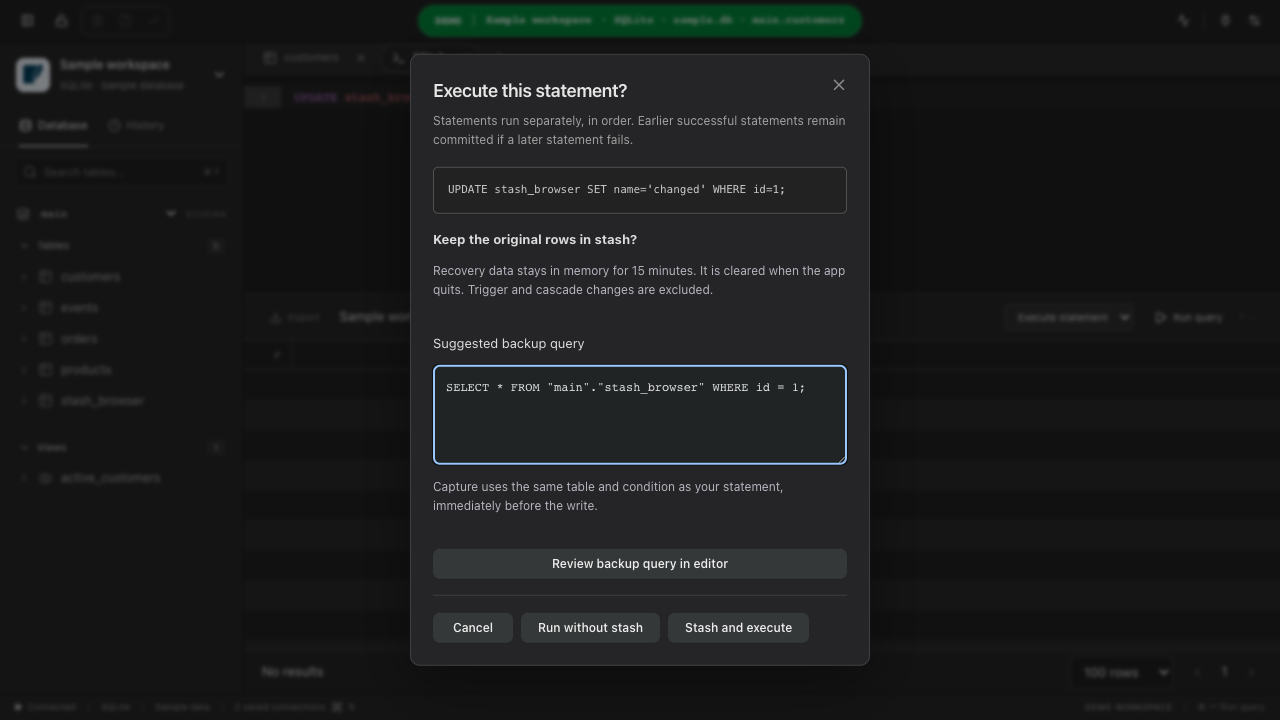
Stash is not a backup and does not reverse triggers or cascades. Read what it will and will not do.
02 · Backups
A table export is not a backup. This is a backup.
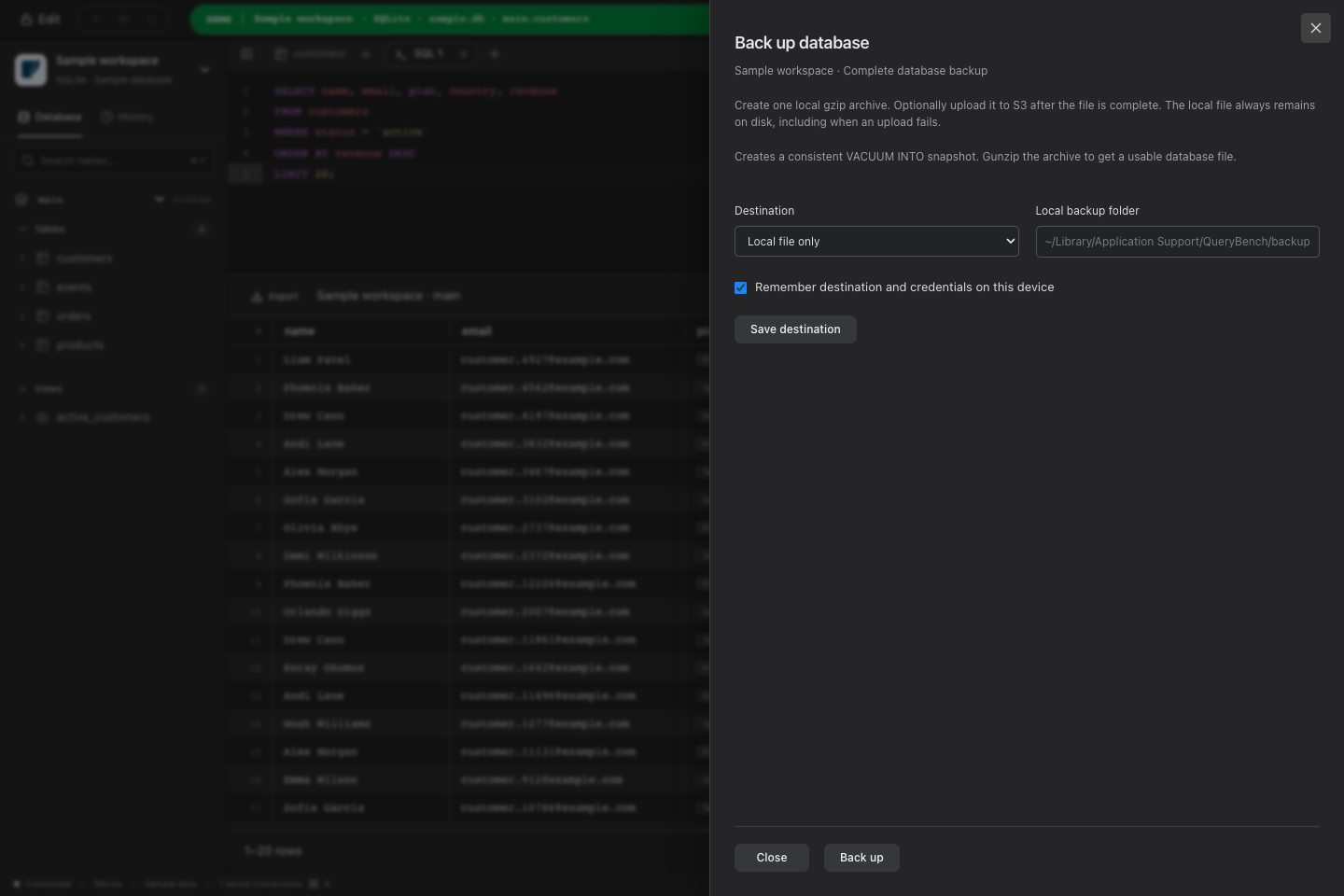
QueryBench runs the engine's own backup tool, keeps the gzip archive on disk, and can ship it to S3 or any compatible store without a separate script or cron job.
- 1
Native tools, real backups
PostgreSQL uses pg_dump, MySQL uses mysqldump with routines, triggers and events, SQLite takes a consistent VACUUM INTO snapshot, DuckDB runs EXPORT DATABASE. Restores work with the engine's own tools.
- 2
One gzip archive, finished before anything uploads
The backup streams into a single local file, is synced to disk, and only then is eligible for upload. Partial files never leave your machine and are removed if a backup is cancelled or fails.
- 3
Optional S3 upload, retry without redoing the dump
Point it at a bucket, region and prefix, or any S3-compatible endpoint over HTTPS. Uploads use signed multipart requests with bounded concurrency. If the upload fails, retry from the completed local archive.
- 4
Credentials stay in the keychain
Access keys and session tokens are saved per connection in the operating-system credential store. They are never returned to the interface, written to JSON, or included in connection archives.
03 · MCP server
Let an AI agent talk to your database, on your terms
Press the MCP button in the title bar and QueryBench starts a Model Context Protocol server for whatever agent you use. It gets five tools, your No-Edit rules, and nothing else.
list_databases· saved connections, without passwordsconnect· open one through the keychainlist_tables· tables and views in a schemadescribe_table· columns, types, keysrun_query· paginated, with the app's timeouts
Five tools, and nothing else. An agent can read what you can read and change what you allow it to change. Everything goes through the same adapters, the same pagination and the same edit lock as the interface.
- Binds to 127.0.0.1 only, never to the Wi-Fi interface.
- Every session gets a fresh, unpredictable bearer token. Host and origin are checked.
- No-Edit and read-only connections stay locked. The agent cannot unlock them, and writes are rejected in the Go backend, not in the UI.
- Page sizes, timeouts and cancellation are the same limits the app uses for you.
- Desktop only. Off until you press the MCP button, and off again when you quit.
- agent ›list_databases
- querybench ‹analytics · PostgreSQL · production · No-Edit
- agent ›describe_table public.orders
- querybench ‹14 columns · primary key (id) · 3 foreign keys
- agent ›run_query SELECT status, count(*) FROM orders GROUP BY 1
- querybench ‹4 rows · 38 ms · page 1 of 1
- agent ›run_query DELETE FROM orders WHERE status = 'test'
- querybench ‹rejected · connection is in No-Edit mode
Engines
Seven engines, one workspace
Each runs on its own native driver behind the same grid, editor and staged-change queue, with real integration tests instead of mocked capabilities.
 PostgreSQL
 MySQL
MySQL SQLite
 DuckDB
 ClickHouse
 MongoDB
 Redis
Redis
Platforms
One license, one computer + one phone
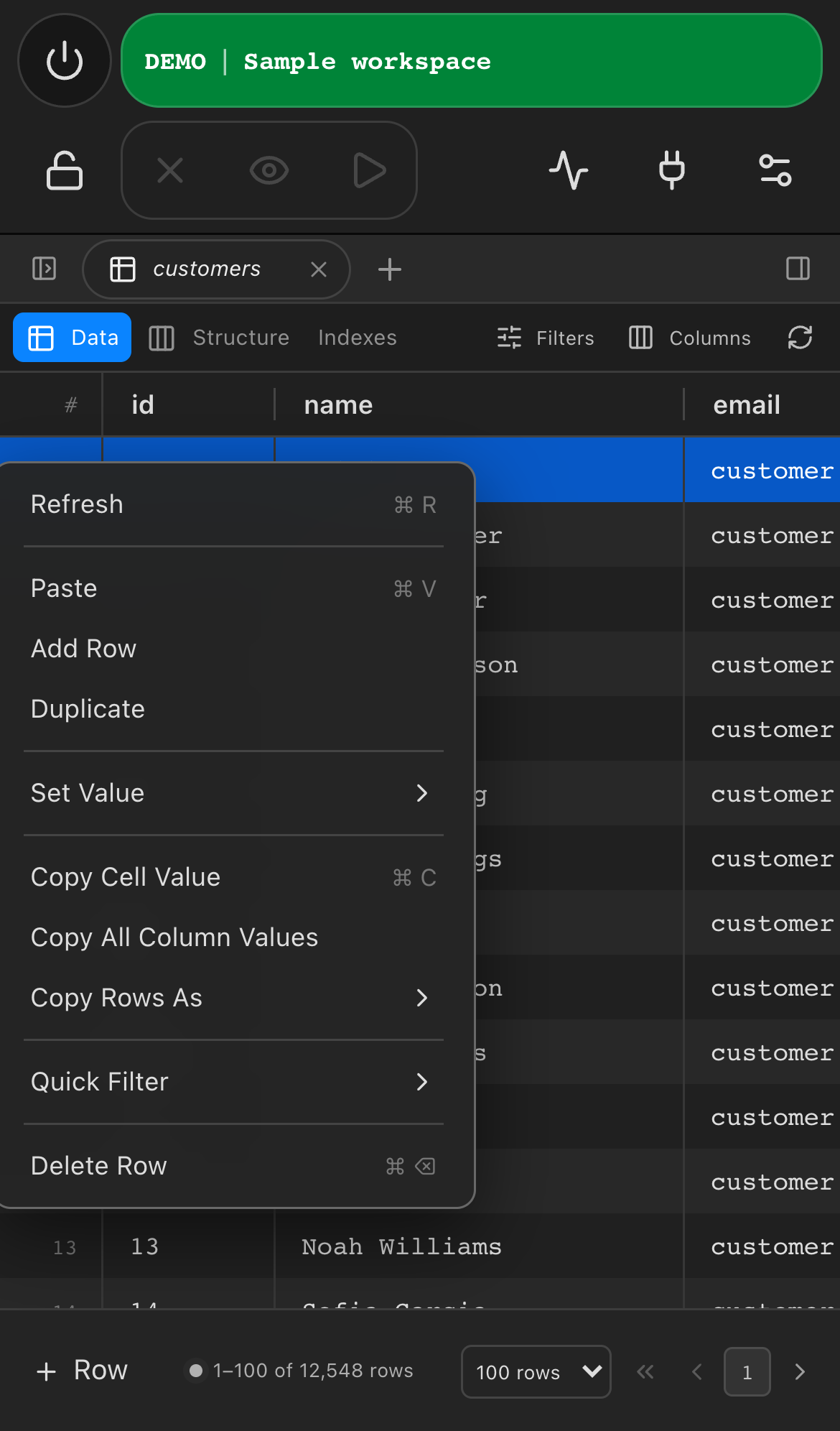
macOS, Windows and Linux on the desk. iOS and Android in your pocket, running the same Go adapters locally with passwords in the platform keychain. No remote proxy, no second purchase.
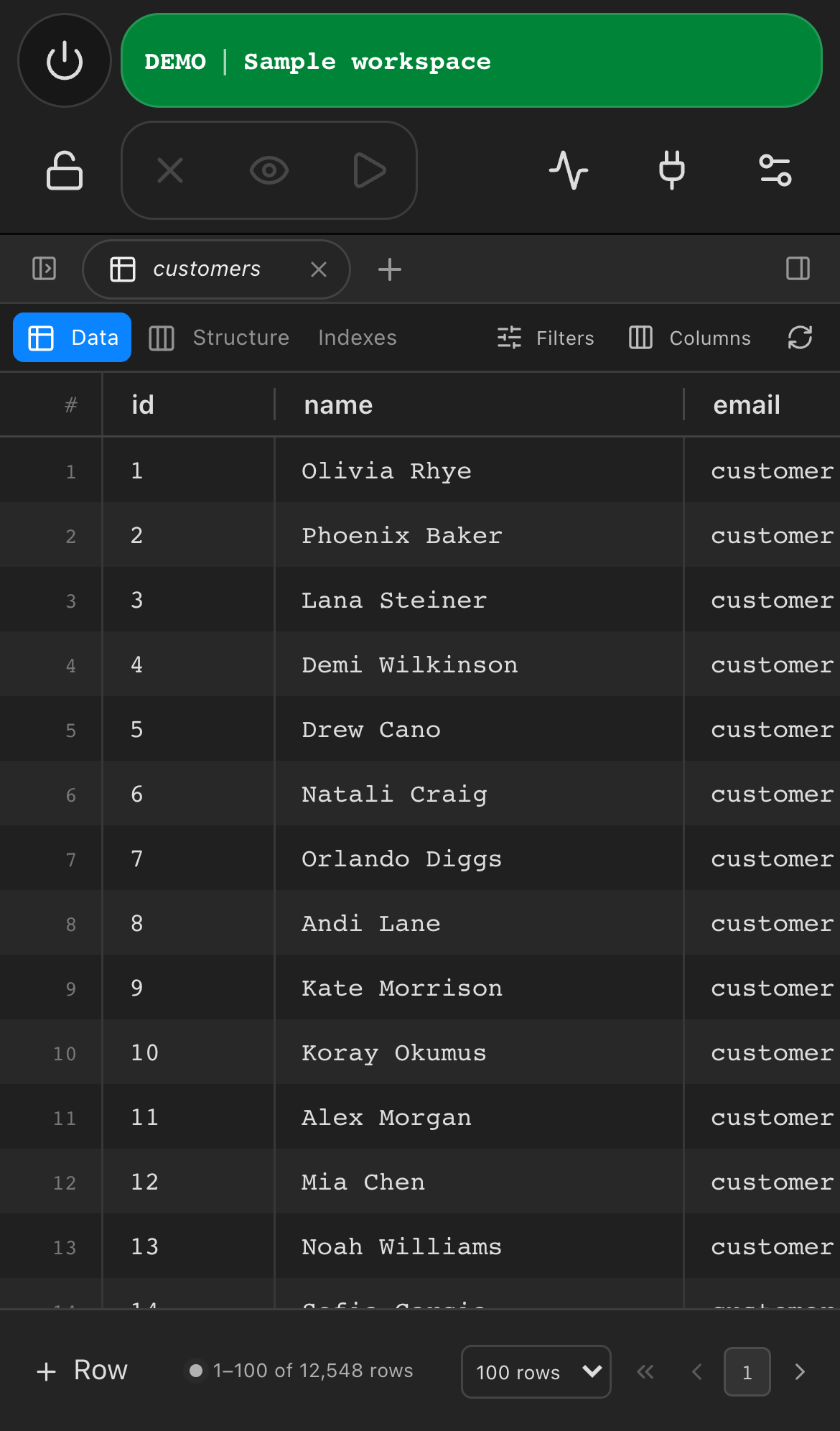
- Grid, staged edits, structure and query editors on the phone
- Long-press for sidebar and grid context menus, 44px touch targets
- Import, export, backups and MCP stay desktop-only, on purpose
Everyday work
Everything else a database client should do, done carefully
Inline edit
Double-click a cell to edit it. Edited rows stay yellow, new rows green and deleted rows red until you commit, so you always see what is about to change.
Review every change
Nothing runs behind your back. Staged edits become a reviewable list of statements with bound values. Discard one, discard all, or commit the batch atomically.
Safe mode and Stash
Production connections open in No-Edit mode. Turn on Stash and QueryBench keeps the original rows before every update or delete, with recovery SQL ready to copy.
Export without limits
Export the current page or every matching row as CSV, JSON, SQL or Excel, optionally gzipped. Rows stream to disk with progress and cancellation, so there is no row cap.
Structure and indexes
Rename columns, change types and create or drop indexes from the same staged queue as your row edits. Every DDL statement is previewed before it runs.
Connections that stay private
Passwords live in the macOS Keychain, Windows Credential Manager or Linux Secret Service, never in JSON. SSH bastions, TLS and environment colors are one click away.
Processes and queries
Watch running QueryBench queries and server sessions live. Cancel an app query directly or a server statement after confirming its session ID.
Complete database backups
Create a full native backup with pg_dump, mysqldump, VACUUM INTO or EXPORT DATABASE into a local gzip archive. Optionally upload the finished file to S3 or any compatible endpoint. The local copy always stays on disk.
Stored functions and macros
Browse PostgreSQL, MySQL and ClickHouse routines and DuckDB macros in the sidebar. Edit a definition in place and save it back, under the same Edit and No-Edit rules as everything else.
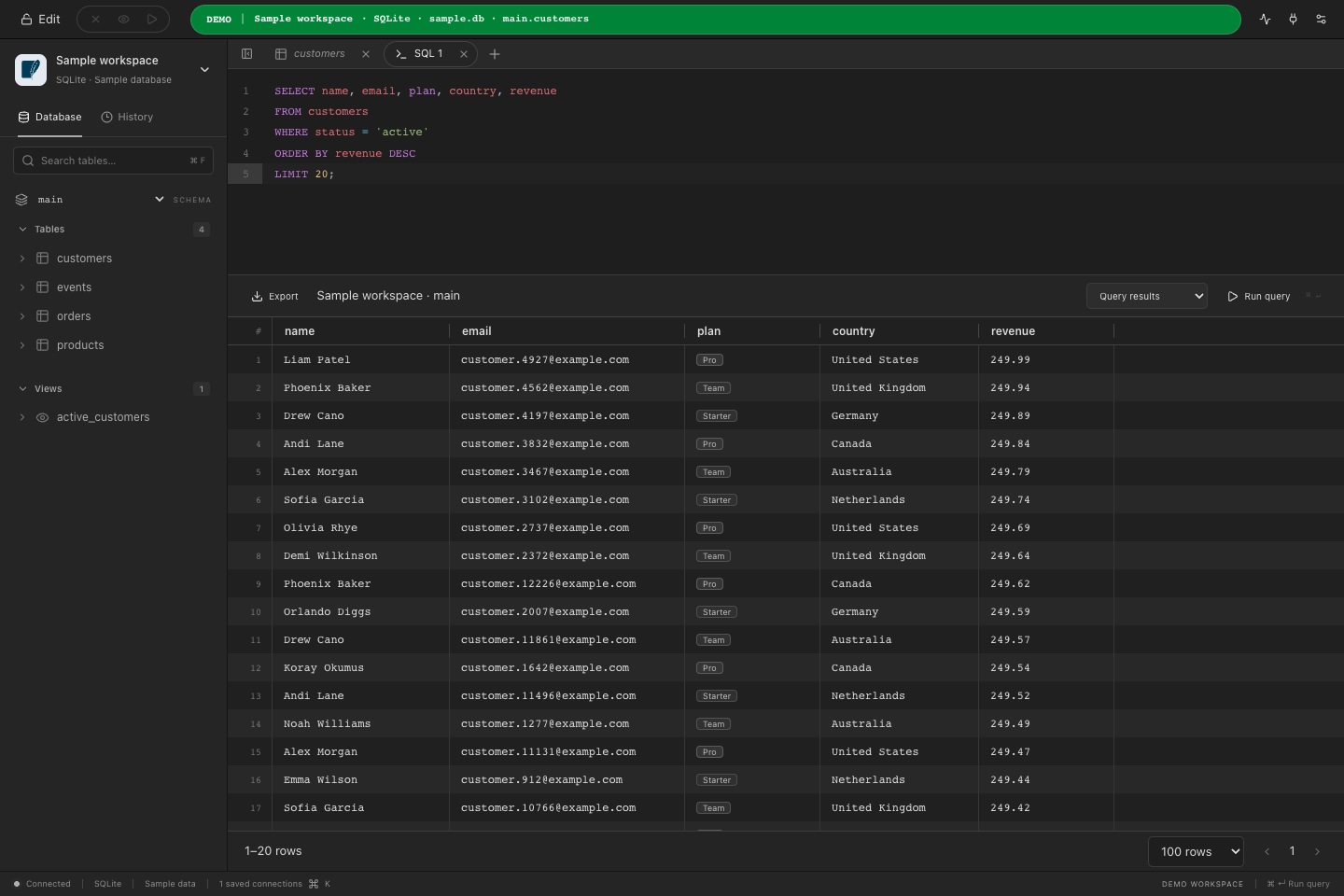
Click a screenshot to enlarge it.
Also: foreign-key diagrams, table cloning, user management, TablePlus-compatible connection archives and a sample workspace to try everything without a server. Read the docs.
Editor
An editor that stays out of the way
Built on CodeMirror with the useful defaults switched on and nothing that fights you.
Instant autocomplete
Tables and columns across the whole schema, alias aware.
Syntax highlighting
Dialect-specific SQL, plus JSON for MongoDB documents.
Parallel tabs
Every SQL tab keeps its own connection, result and running query.
Query history
The last 50 statements with connection and duration, stored locally.
Streaming results
Pages of 100 to 1,000 rows stream into a virtualized grid.
Cancel anytime
Cancellation reaches the database cursor, not just the UI.
How it's built
Small, native, honest
Native and fast
A Go backend and a native webview per platform. No Electron, no bundled browser, and a small memory footprint even with large tables.
Safe by default
Production connections start locked. Edit restrictions are enforced in the backend, so a UI tweak can never bypass them.
Keyboard first
Cmd-Enter runs a statement, Cmd-S commits, Cmd-Z undoes staged edits, Cmd-K switches connections. Every action has a shortcut.
One workspace, every device
The same adapters and interface on macOS, Windows, Linux, iOS and Android. Your phone runs the real database drivers, not a remote proxy.
AI ready
Turn on the desktop MCP server and let an AI agent list tables, describe schemas and run paginated queries, with the same No-Edit rules applied.
Honest engineering
Every engine is covered by real integration tests against real databases. Unsupported features return explicit errors instead of pretending.
Try it on the sample workspace
Every install ships a SQLite sample database. Explore the grid, stage some edits, turn on Stash and undo them. No account, no server.
Seven days of every feature, then free mode with one tab. One license is $29.99, paid once, for every platform.